 PDF-Equilibrist
Free, open-source desktop PDF editor built in Python with PyQt6 and PyMuPDF. Runs entirely locally — no cloud, no telemetry, no account required.
PDF‑Equilibrist is available for Windows, Arch Linux (AUR), Ubuntu (PPA), Fedora (COPR) and any other Linux distribution (AppImage).









yay -S pdf-equilibristsudo add-apt-repository ppa:paulwoisard/pdf-equilibrist
sudo apt update
sudo apt install pdf-equilibristsudo dnf copr enable paullux/PDF-Equilibrist
sudo dnf install pdf-equilibristcurl -fsSLO https://github.com/Bit-Scripts/PDF-Equilibrist/releases/latest/download/install.sh
bash install.sh
Online PDF tools are convenient, but they require uploading your documents to third-party servers — sometimes sensitive, always outside your control. PDF‑Equilibrist takes the opposite approach: all processing stays on your machine.
Designed for environments where data confidentiality is non-negotiable — medical practices, law firms, SMEs, public administrations — it requires no Internet connection, no user account, and no subscription.
Built on proven libraries (PyMuPDF, PyQt6), it delivers the essential features of a professional PDF editor in a modern, responsive interface.
Everything you need to read, edit, convert, annotate and protect your PDF documents.
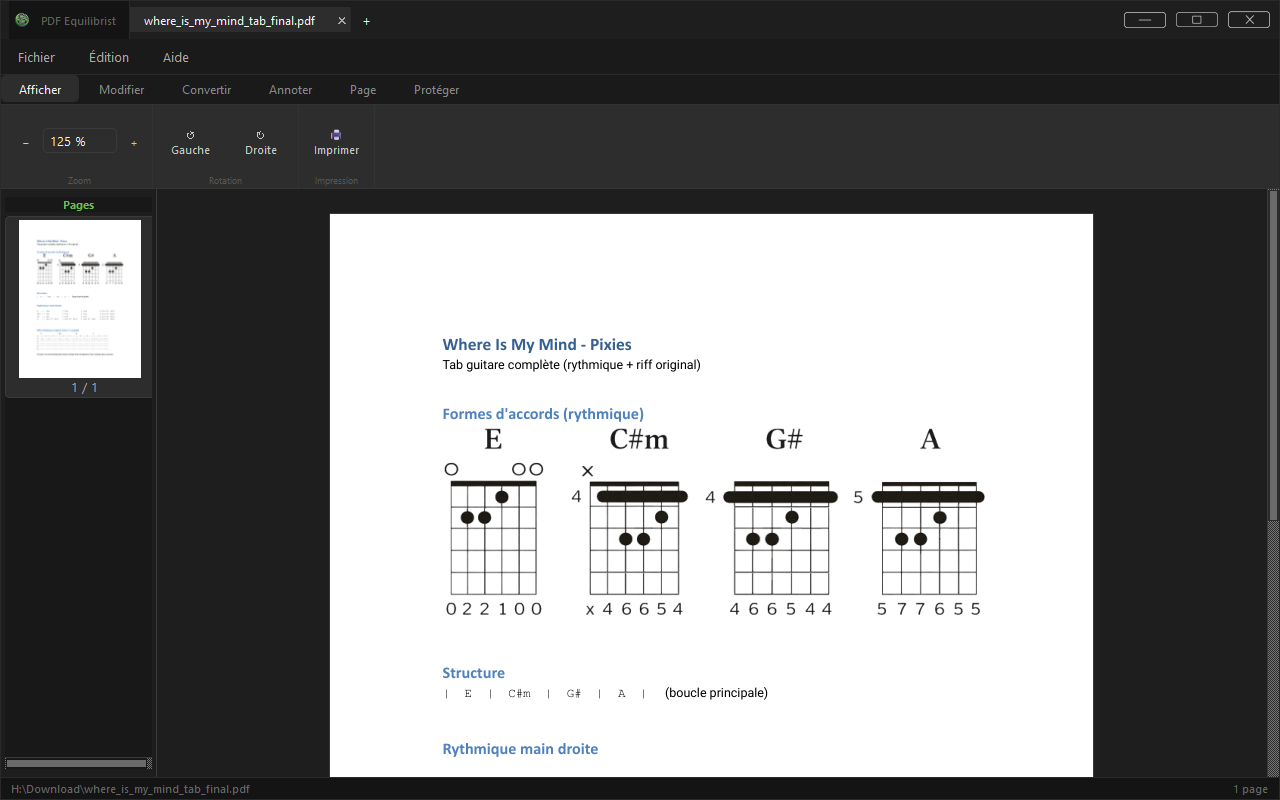
Zoom, rotation, multi-tab and multi-page navigation.
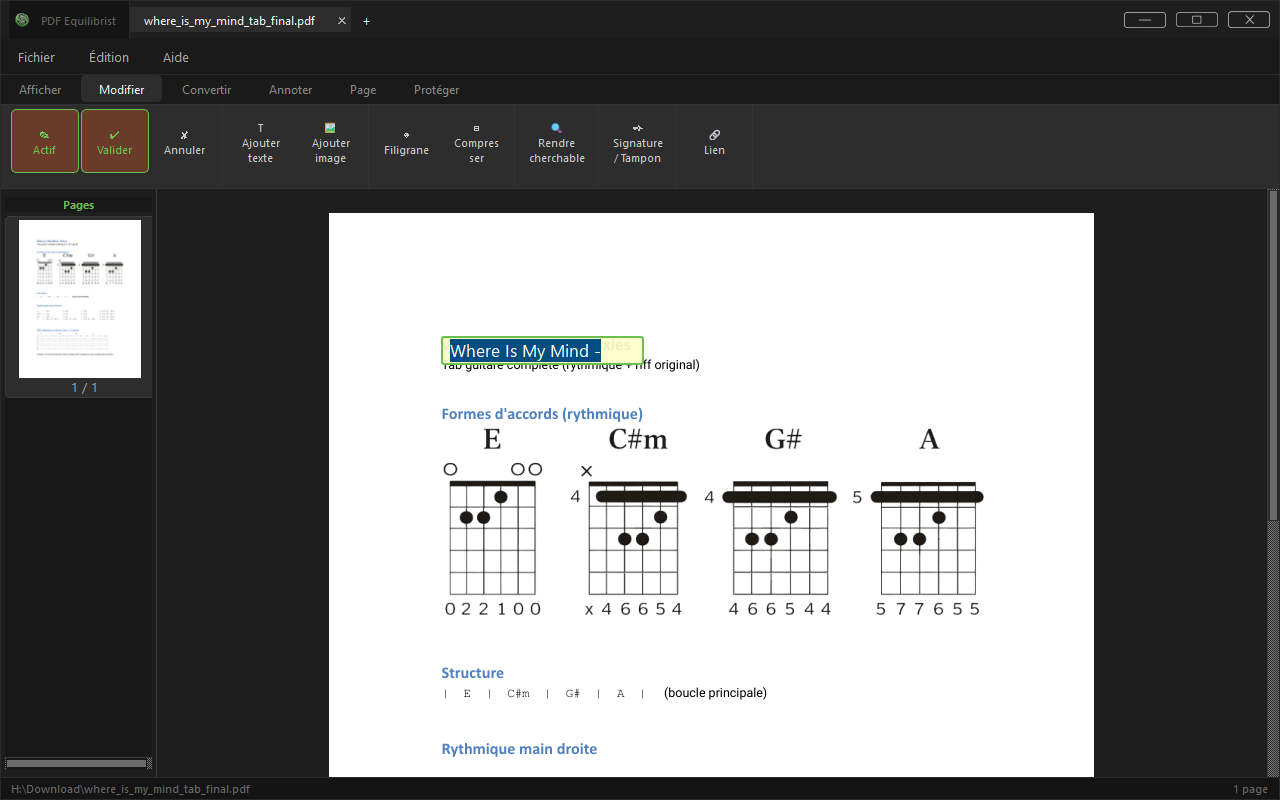
Text editing, watermarks, signatures and stamps.
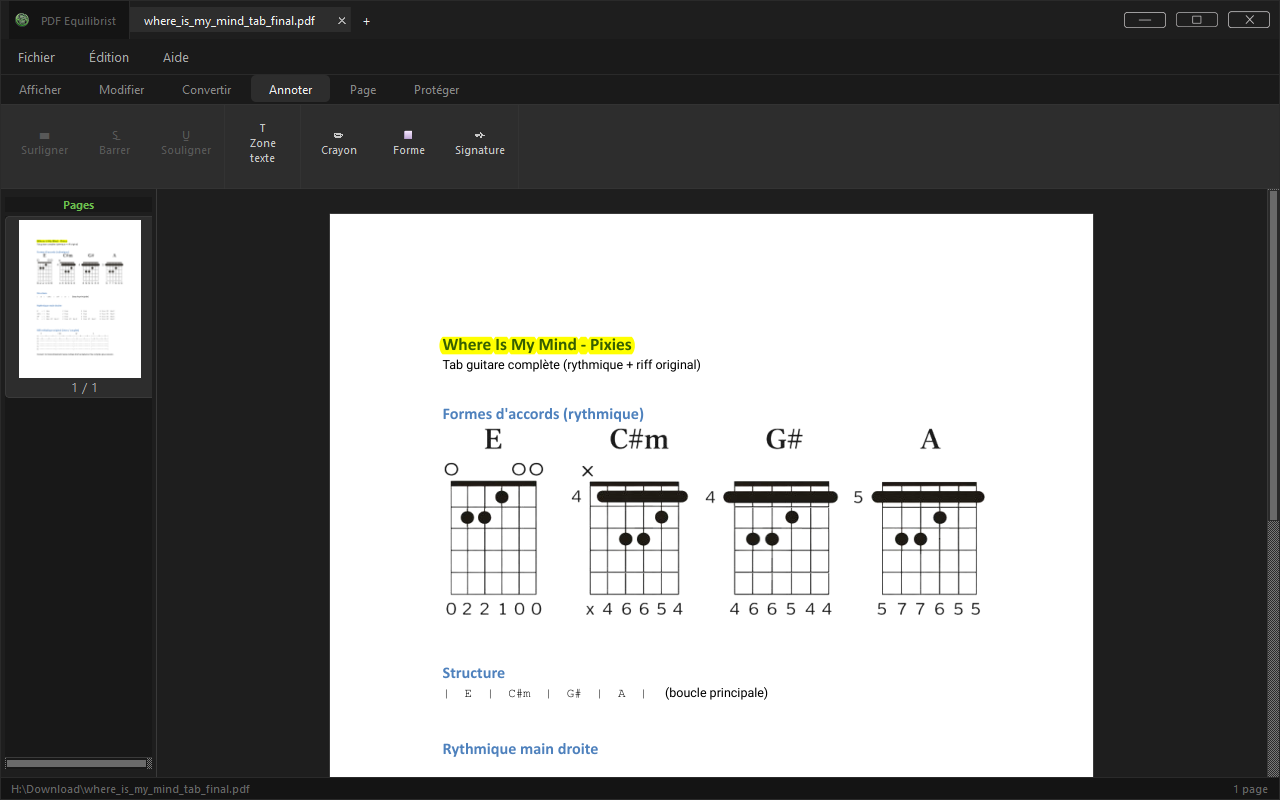
Highlight, strikethrough, underline, text boxes.
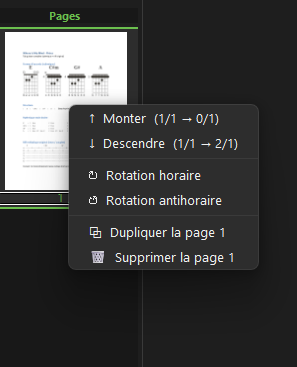
Insert, split, merge, reverse.
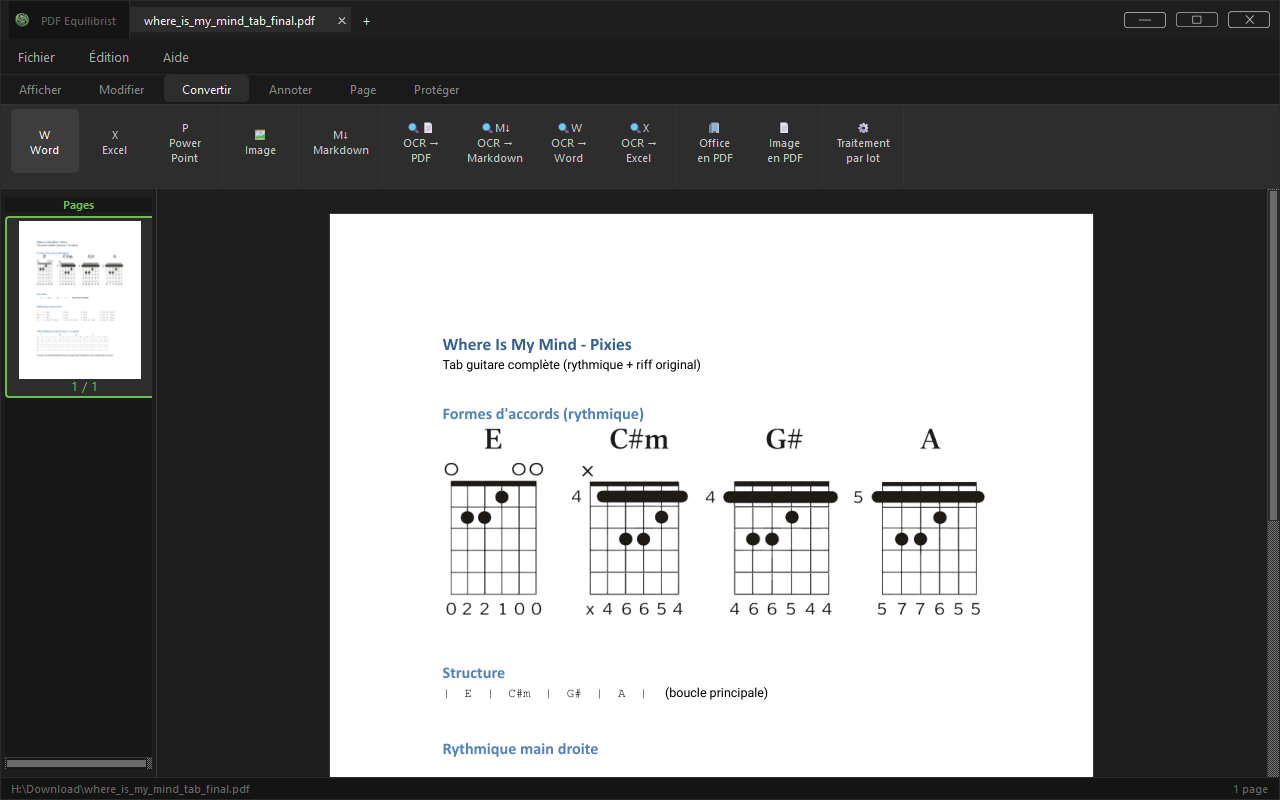
Word, Excel, PowerPoint, images, Office → PDF, image → PDF, local OCR, batch processing.
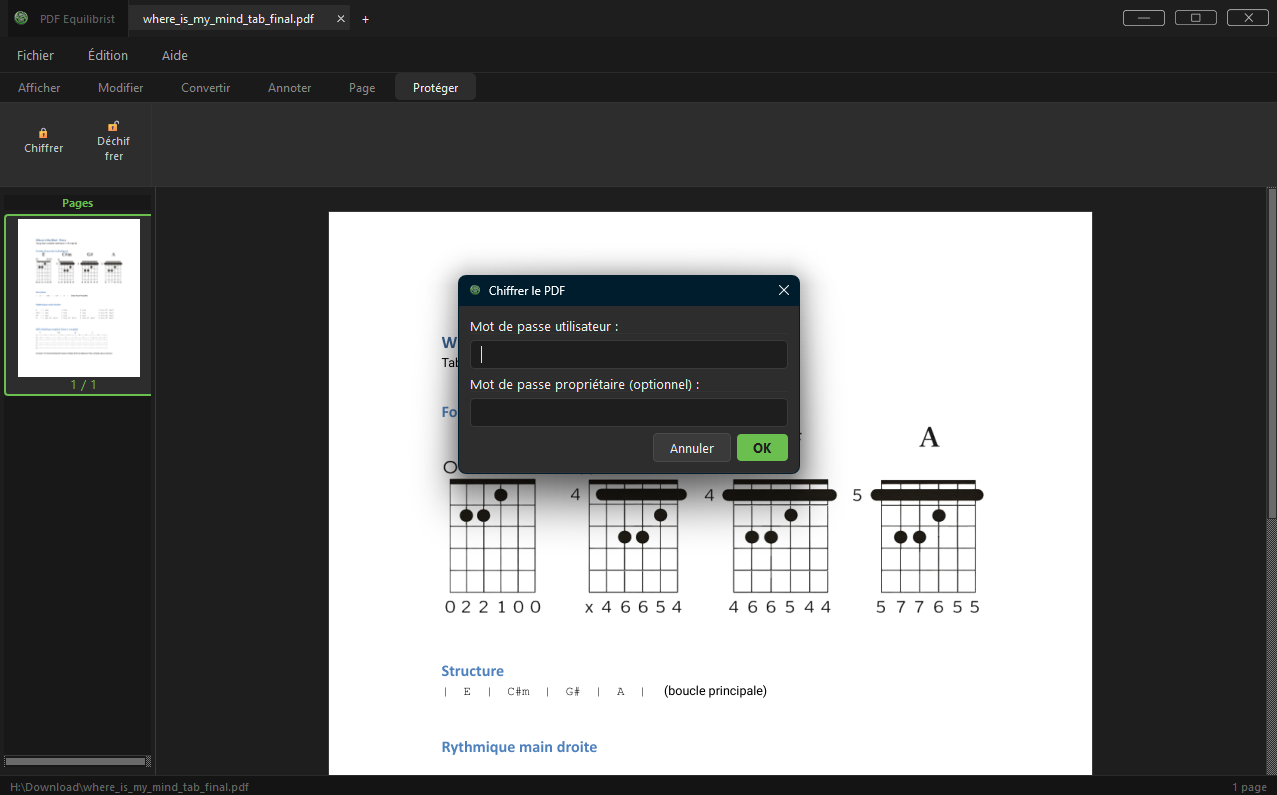
AES-256 encryption and decryption.
Unlike online PDF tools that send your files to third-party servers, PDF-Equilibrist runs all processing 100% locally.
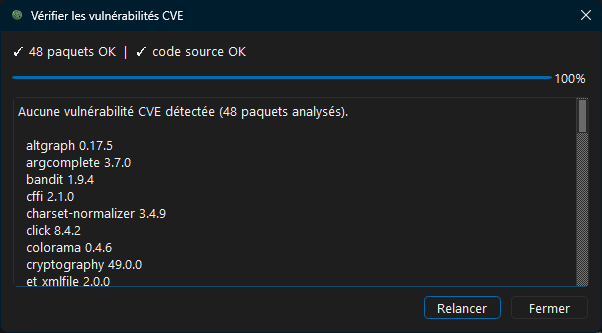
Network connections. Your documents never leave your computer. The application can contact only two services, and says so on screen whenever it does: api.github.com, to check whether a new version exists (at startup on Windows, optional), and api.osv.dev, when you run the CVE check (library names and versions only). Like any Internet request, these expose your IP address to the service contacted. The Help › Internet connections menu blocks them all. Privacy policy
📦 To install the Windows executable (.exe) without installing Python, download the latest installer from the Releases.
🐧 On Arch Linux and derivatives, available on the AUR:
yay -S pdf-equilibrist🐧 On Ubuntu and derivatives, available via a PPA:
sudo add-apt-repository ppa:paulwoisard/pdf-equilibrist
sudo apt update
sudo apt install pdf-equilibrist🐧 On Fedora and derivatives, available via COPR:
sudo dnf copr enable paullux/PDF-Equilibrist
sudo dnf install pdf-equilibrist🐧 On any other 64-bit Linux distribution (Debian, openSUSE, Mint…), as a single AppImage file:
curl -fsSLO https://github.com/Bit-Scripts/PDF-Equilibrist/releases/latest/download/install.sh
bash install.shThe script installs into ~/.local without root (use --system for all users, --uninstall to remove), adds the menu entry and the PDF association, and checks the SHA-256 of the download. You can also download PDF-Equilibrist-x86_64.AppImage from the release page, make it executable and run it. Without FUSE (libfuse2), start it with --appimage-extract-and-run.
1. Create a compatible Python environment (>=3.12).
2. Install dependencies:
python -m pip install -r requirements.txt3. Run the application:
python src/pdf_equilibrist/main.pyFigures collected automatically every week from the official repositories.
Arch Linux (AUR) has no counter: the AUR only distributes a build recipe, and the package is compiled on the user's machine from the GitHub source archive, which GitHub does not count.
As of
No. All processing is performed locally on your machine. No file ever leaves your workstation.
Yes, completely free and open source, distributed under the GNU GPL v3 license.
For many common uses — editing, annotation, conversion, protection — yes. It requires no subscription or account.
Windows (.exe installer), Arch Linux (AUR), Ubuntu (PPA), Fedora (COPR) and any other 64-bit Linux distribution (AppImage).
No. The Windows installer installs in the user profile without UAC elevation.
Yes. The code is published on GitHub and dependencies are automatically checked against known vulnerabilities.
Non-destructive editing. PDF‑Equilibrist never writes to your original file — all edits happen on an in-memory working copy. Your source PDF stays untouched unless you explicitly choose to overwrite it; otherwise, export under a new name and the original is preserved.